
Natural phrases such as “next Wednesday afternoon” or “end of the month”; one paragraph can create several records.
On the App Store · Version 1.0.3
Say it once.Plans and expenses, both saved.
Type “Meeting tomorrow at 3 pm, lunch today cost 12 dollars.” JotIt creates editable event and expense suggestions. Check the time, amount and details, then save. Your records stay on your iPhone by default and online AI is off until you turn it on.
iPhone · iOS 17 or later · Free with in-app purchases · Available in 175 countries and regions. See the full details

JotItSchedules · Tasks · Expenses
- On-device firstSchedules and expenses are stored on your iPhone
- You confirmSuggestions are saved only after you review them
- Always in controlPermissions, online AI, export and deletion are yours
- No accountDownload and start; no registration or sign-in
iOS 17+System requirement
13 languagesApp interface
FreeWith in-app purchases
No ad trackingPrivacy commitment
A look inside
From one sentence to a sorted day.
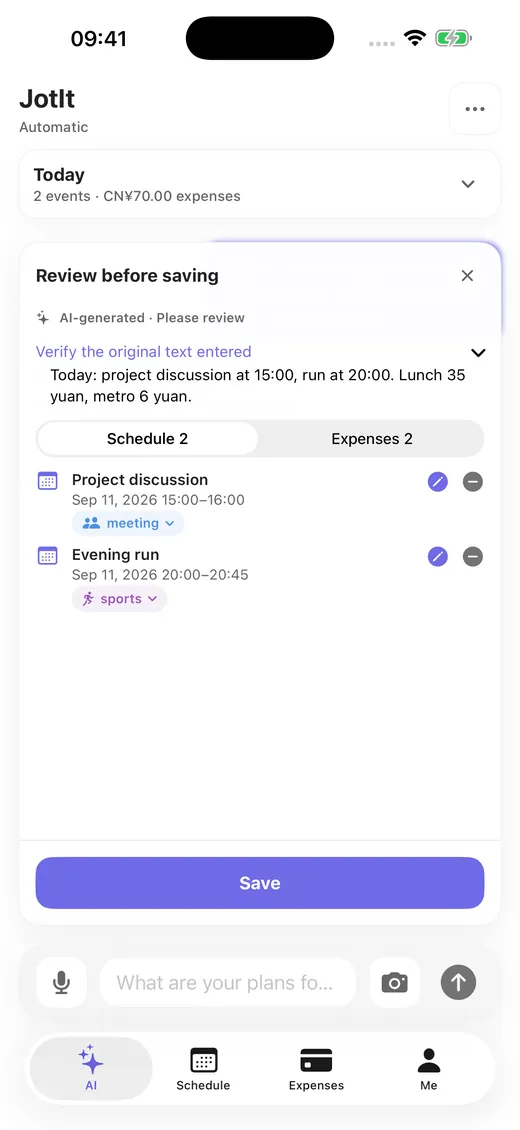
One input, several recordsA paragraph becomes multiple events and expenses. Review, then save in one tap. 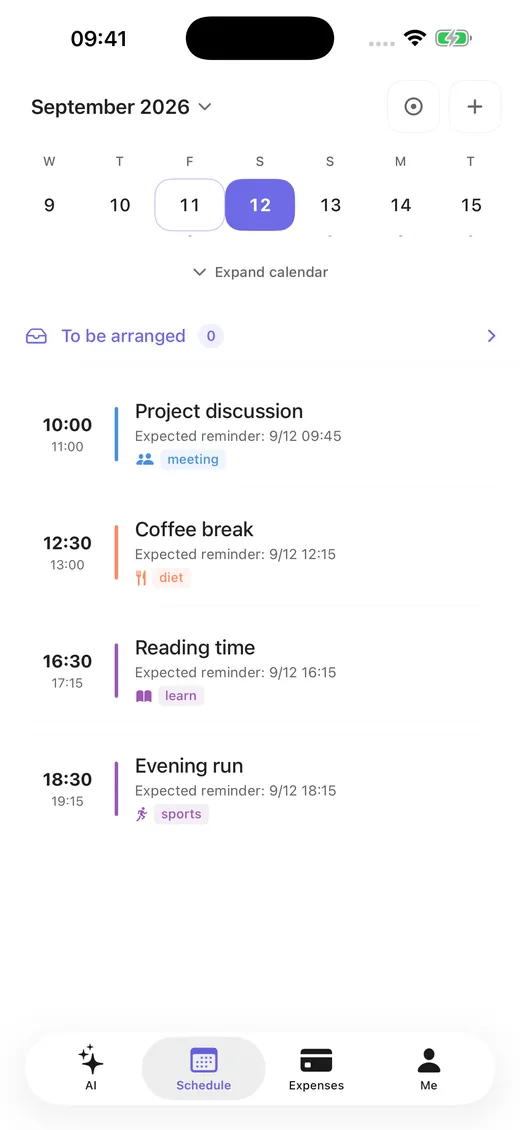
Schedules and remindersCalendar, tasks and reminders together, with recurring events and quiet hours. 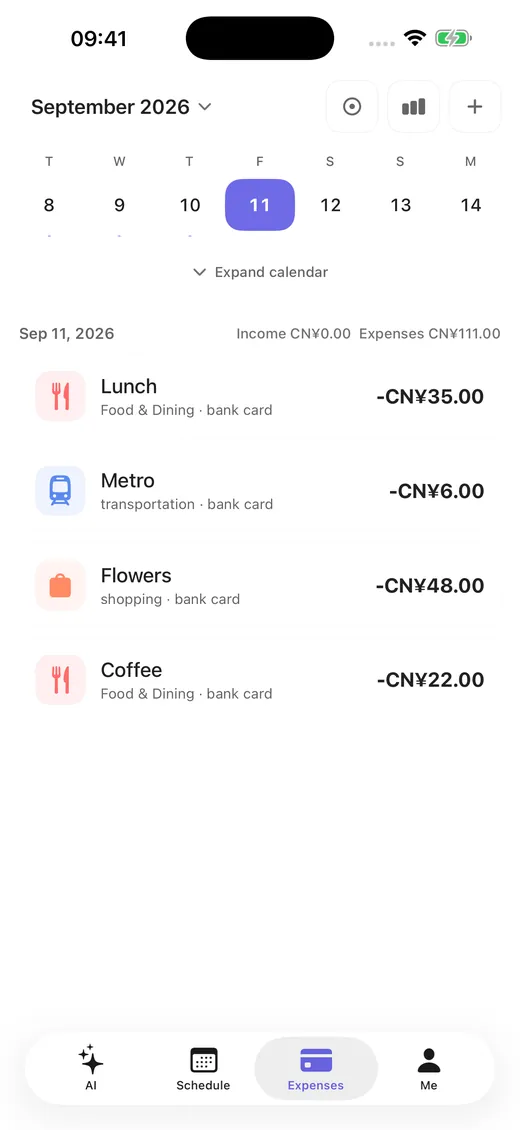
Expense detailAmounts, categories and notes stay clear and easy to correct later. 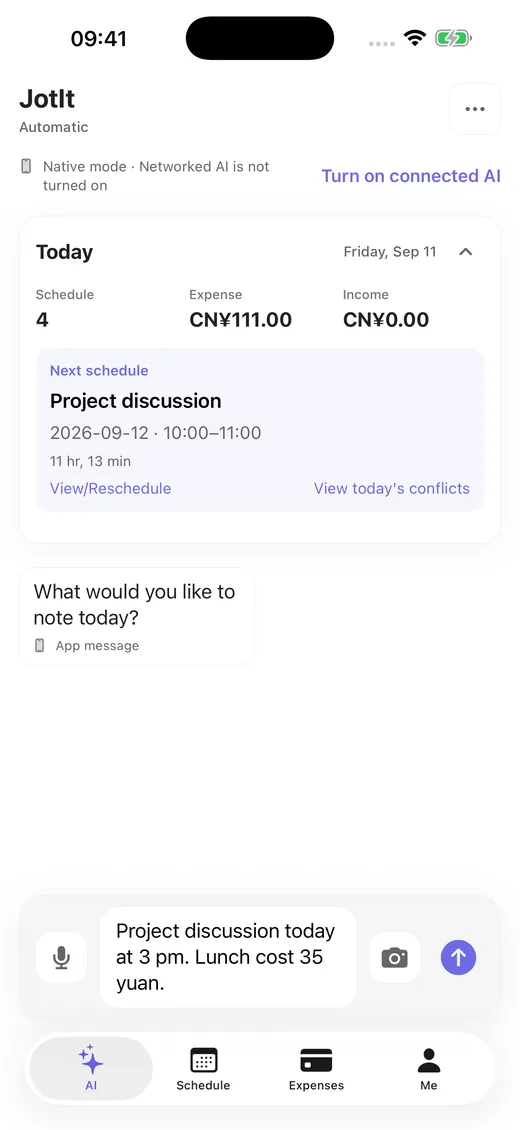
Three ways to captureType, speak or photograph text. Image recognition runs on your device. 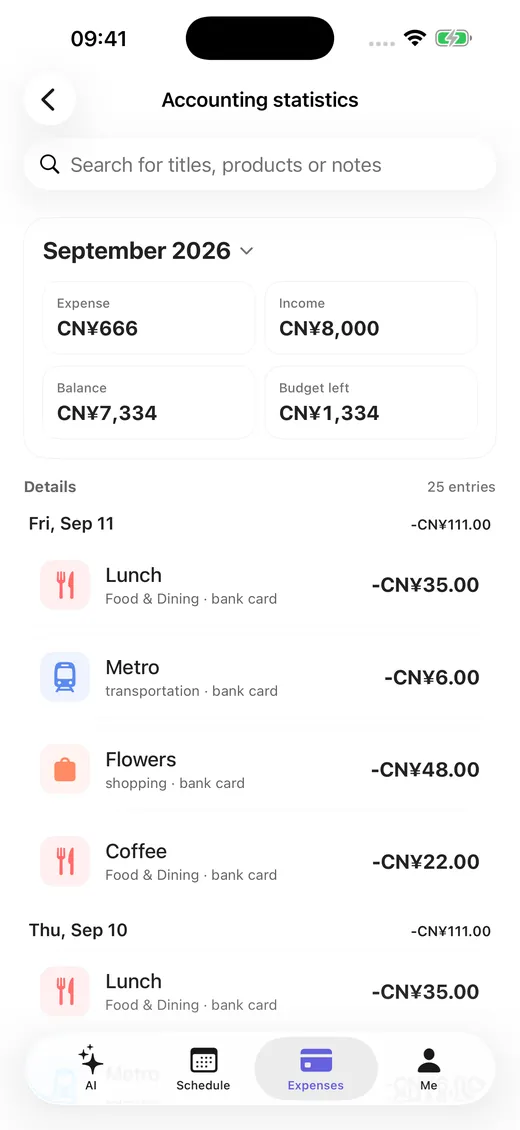
On-device totalsReview spending by date, category and month. Amounts are calculated locally. 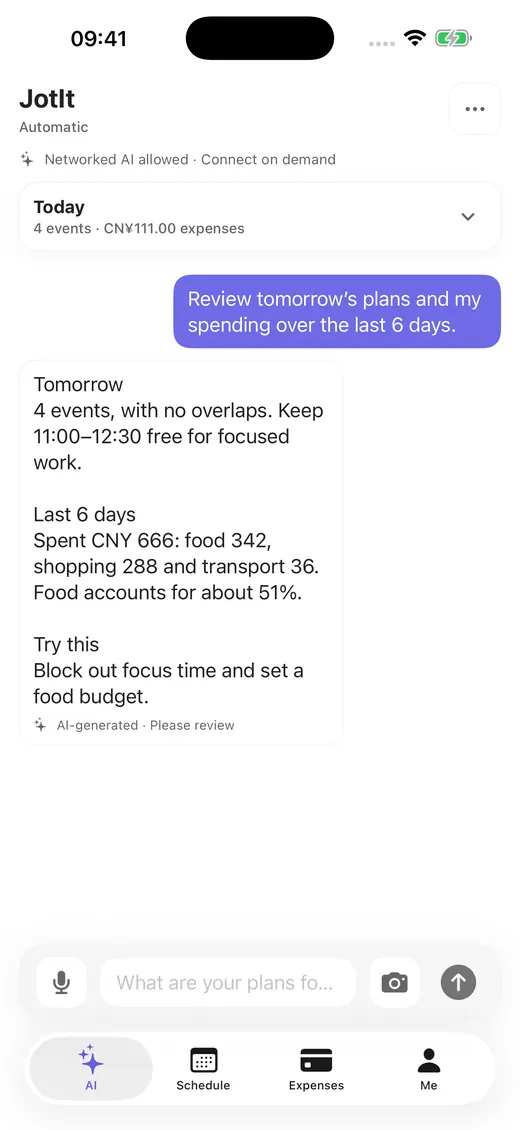
Ask and analyseAsk “What’s on this week?”. Online AI runs only when you enable it.
How it works
Three steps for every record.
- 1
Say or write one line
Use text, voice, or a photo containing text. Plans and expenses can share the same sentence.
- 2
Review the suggestions
JotIt lists the parsed events and expenses, labelled as AI-generated. Times, amounts and categories stay editable.
- 3
Confirm to save
Save to your device once it looks right. Remove single entries or cancel the whole batch.
What it does
Schedules, tasks and spending in one app.
Calendar views, schedules, tasks and reminders together, with default reminders, quiet hours and recurring events.
Record income and expenses, then review totals by date, category and month. Amounts are calculated on device.
Ask “What’s on this week?” or “How much did I spend on dining last month?” and get summaries, comparisons and suggestions.
Check upcoming plans from Home Screen widgets and Apple Watch without opening the app.
Import, export and create local backups. Export first, then restore on a new phone.
Privacy and control
The choice stays yours.
Records stay on device
Schedules, expenses, nickname and avatar are stored on your iPhone by default. No cloud copy is created.
Online AI is opt-in
Off by default. Only necessary text is sent, only for requests you make. Original images are never uploaded.
Permissions can be withdrawn
Turn off permissions, clear records, disable optional usage analytics, export a backup or delete local data.
JotIt includes no advertising SDK, does no cross-app ad tracking and does not sell personal information. See the full privacy policy.
Pricing
Start free. Add Pro when you need more AI.
100 AI credits in total for your first 30 days.
60 AI credits per UTC calendar month afterwards.
CNY 18/month reference price, 600 AI credits per month.
CNY 128/year reference price, 600 AI credits per month.
Standard online AI requests use 1 credit; long text or complex analysis uses 3. Annual plans are billed yearly while credits reset monthly, and unused credits do not roll over. Prices above are the mainland China reference prices — your local price and currency appear on the App Store purchase screen.
Local schedules, expenses, reminders, backup, restore and export are always free and are never locked when AI credits run out.
Quick facts
Key details about JotIt.
- App name
- JotIt (shown as “JotIt by Qishan Lab” on the App Store; 记一下 in Chinese)
- Current version
- 1.0.3, released 21 September 2026
- Developer
- Shanghai Qishan Cultural Communication Co., Ltd. (Qishan Labs)
- Platform
- iPhone, requires iOS 17.0 or later; no native iPad version
- Download
- apps.apple.com/app/id6764322744
- Price
- Free to download, with in-app purchases (JotIt Pro)
- App size
- About 10 MB
- Age rating
- 4+
- App Store category
- Productivity (primary), Lifestyle
- Availability
- 175 countries and regions
- Interface languages
- English, Simplified Chinese, Traditional Chinese, Japanese, Korean, French, German, Spanish, Portuguese, Russian, Arabic, Hindi, Indonesian
- Account
- No registration or sign-in required
- Data storage
- Schedules, expenses, nickname and avatar are stored on device by default
- Online AI
- Off by default; when enabled, necessary text you submit is processed by the DeepSeek API
- Ads and tracking
- No advertising SDK, no cross-app tracking, no sale of personal information
- Support email
- weizhichao@qishanlabs.com
Release notes
What the latest version changed.
Version 1.0.3Released 21 September 2026
- Added optional Usage Analytics, off by default.
- When enabled, it may send screen views, feature use and outcomes. It never includes schedules, tasks, expenses, amounts, locations, images, audio, OCR text or AI conversations.
- Improved the overall experience and stability.
Clear, checkable, contactable
Everything else you may need.
Get started
Download JotIt and capture today’s first note.
Free to download, no account needed. Local schedules, expenses, reminders, backup and export are always available; consider Pro only when you want more online AI.